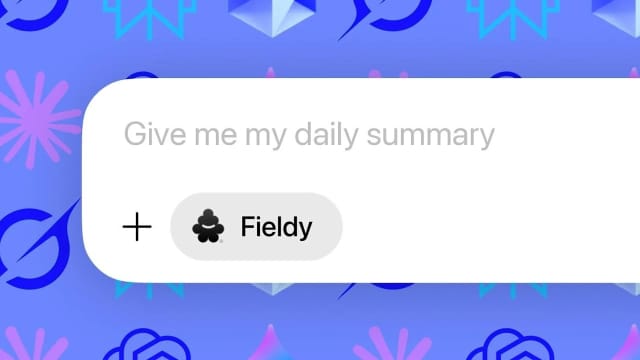
Fieldy now plugs into the AI chatbot you already use. The Fieldy Claude connector is added with one pre-filled link, and the Fieldy ChatGPT integration is live in the ChatGPT apps directory. Setup is one click and a sign-in, no endpoint URLs or manual configuration:
- Claude: add the Fieldy connector to Claude with one click
- ChatGPT: add Fieldy from the ChatGPT apps directory
- Cursor, Claude Code, and other MCP clients: connect with the Fieldy MCP endpoint
Open the listing, click connect, and sign in with your Fieldy account email. That is the whole setup.
Why connect Fieldy to your AI assistant
Claude and ChatGPT know what you type into them. They do not know what happened in your customer calls, site visits, interviews, or the hallway conversation where the real decision was made.
Fieldy captures those conversations. The integration makes them available to your chatbot as memory it can search, so answers come from your real life instead of from what you managed to paste into the chat.
When Fieldy MCP first launched, connecting Fieldy to Claude or ChatGPT meant copying the MCP endpoint into your client and walking through custom connector setup. The pre-filled Claude link and the ChatGPT listing remove that step.
What you can do with Fieldy in Claude and ChatGPT
Once connected, your assistant can search your Fieldy conversations, summaries, and transcripts. A few ways people use it:
| You are working in | Ask your assistant | What Fieldy adds |
|---|---|---|
| Claude Code or Cursor | ”Check my call with the client yesterday and make sure the export matches what they asked for.” | The transcript of the call, so the code matches what was actually agreed |
| Claude or ChatGPT, planning your week | ”Pull every commitment I made in Fieldy conversations this week and turn them into a task list.” | Every meeting, call, and hallway chat from the week, not just calendar events |
| Sales and CRM notes | ”Update the HubSpot summary for Acme based on this morning’s site visit.” | The full site visit, including objections and numbers, ready to paste into the CRM |
| Proposals and follow-ups | ”Write the proposal intro using the exact language the customer used about budget and timeline.” | Exact quotes, so the proposal sounds like the customer |
| Personal recall | ”What did the doctor say about the dosage?” | The answer from the appointment itself, not your memory of it |
The pattern is the same every time: you do the talking in the real world, Fieldy records it, and your chatbot gets the context without you retyping anything. It is the same gap Apple’s Siri Recap and Live Rewind start to address on Apple Watch, one summary at a time.
Fieldy Claude connector
Claude connectors are the official way to give Claude access to outside tools, and Fieldy connects as one with a single pre-filled link. It works wherever Claude supports connectors, including the web and desktop apps.
- Open the add Fieldy to Claude link. Claude opens with the connector name and URL already filled in.
- Click Add, then sign in with the email you use in the Fieldy app.
- Start a new chat and ask Claude about your conversations.
The Fieldy app does this for you too: the connect button in Settings opens the same pre-filled link, and the app shows when Claude is connected. Because the connector is built on MCP, Claude Code and the Claude API can use the same Fieldy MCP server.
Fieldy ChatGPT integration
ChatGPT apps replaced the old ChatGPT plugins, and Fieldy is now a listed app. The Fieldy ChatGPT integration works on any ChatGPT plan where apps are available.
- Open the Fieldy listing in the ChatGPT apps directory.
- Click Connect and sign in with your Fieldy account.
- Mention Fieldy in a chat, or just ask about a conversation, and ChatGPT will pull from your Fieldy data.
If you are searching for a “Fieldy ChatGPT plugin”, this is it. OpenAI retired the plugin store in 2024; apps and connectors are the current model, and they are built on the same MCP standard Claude uses.
What you can ask once connected
Your assistant can list your recent conversations, pull everything from a specific day or week, read full transcripts, and share a conversation when you ask it to. In practice that looks like:
- “What did I talk about with the contractor on Tuesday?”
- “Summarize my week from my Fieldy conversations.”
- “Find the exact quote where the customer mentioned budget.”
- “What did I promise in yesterday’s standup?”
- “Draft a follow-up email based on my call with the client this morning.”
You approve access once, and you can revoke it at any time from your Claude or ChatGPT settings.
Connect Fieldy to Cursor, Claude Code, or any MCP client
The Fieldy MCP server works everywhere MCP does: Cursor, Claude Code, Windsurf, custom agents, and any ChatGPT or Claude workspace that uses custom connectors instead of the directory. Add the endpoint below to your client and sign in when prompted:
https://api.fieldy.ai/mcpIn the Fieldy app, open Settings, Integrations and look under AI tools: ChatGPT, Claude, Cursor, and Other MCP client each get a one-tap connect button, and Claude shows its connected status right in the list. The same hub now also syncs your transcripts to Dropbox, Google Drive, and OneDrive. Developers building their own workflows can use the Fieldy Public API instead.
Get started
- Open the add Fieldy to Claude link or the ChatGPT listing.
- Click connect and sign in with the email you use in the Fieldy app.
- Ask your assistant something only your real conversations can answer.
Do not have a Fieldy yet? Get yours here.
FAQ
Does Fieldy integrate with Claude? Yes. Fieldy connects to Claude as a connector. Use the one-click link above, or the connect button in the Fieldy app, and Claude can search your conversations, summaries, and transcripts.
Does Fieldy have a ChatGPT plugin or app? Yes. Fieldy is a listed ChatGPT app, which is what replaced ChatGPT plugins. Add it from the ChatGPT apps directory and sign in with your Fieldy account.
Is the Fieldy connector free to use? The connector itself does not cost extra. It works with your existing Fieldy account, and your assistant can access the same conversations you see in the app.
What data can Claude or ChatGPT access? Only what you authorize: your conversations, summaries, and transcripts. Access uses OAuth, and you can revoke it at any time from your assistant’s settings.
Which email should I sign in with? The same email you use in the Fieldy app. If you signed up with Apple Private Relay, use that relay email.
Can I use Fieldy with Cursor, Claude Code, Gemini, or another AI tool? Any MCP-compatible client can connect through https://api.fieldy.ai/mcp. The pre-filled link and the directory listing just make Claude and ChatGPT one-click.
Does the old MCP endpoint still work? Yes. Nothing changes for existing custom connector setups.