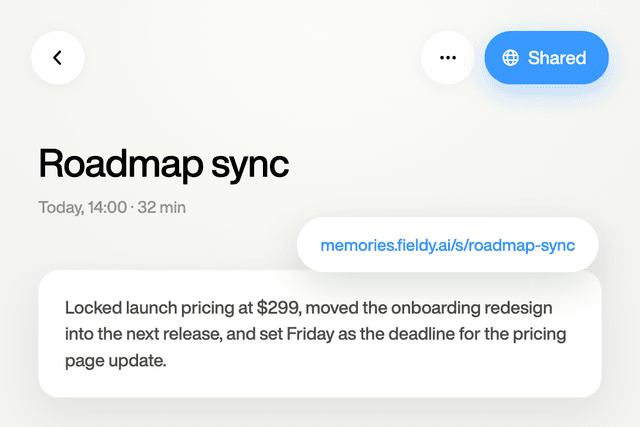
Fieldy used to have a “daily summary” feature. It wasn’t used by many people, so we decided to simplify the app by taking it away. But we know some of you miss it, so we wanted to help you find a replacement solution that will be even better because you can customize it to be exactly what you want.
I’m going to show you three different routes, so you can pick whichever one fits best in your workflow or with the tools you already use.
What you’re actually recreating
Every route uses the same underlying prompt. It tells AI to:
- Pull every conversation recorded by Fieldy in a given day
- Skip anything still mid-recording
- Filter out background media (podcasts, TV, music)
- Write a short summary, a count of how many conversations were captured, and up to three grounded priorities pulled directly from what you actually said and committed to
Here’s the prompt in full:
You are producing the user's Fieldy daily recap for {date} in timezone {timezone}.

<data>
1. Call fieldy_list_conversations_in_time_range with startTime = {date}T00:00:00 and endTime = the next day's T00:00:00, both with the {timezone} offset. Page with cursor until hasMore is false.
2. Ignore conversations whose endTime is null; they are still being recorded.
3. For each remaining conversation, call fieldy_get_conversation to obtain its content, summary, and full transcript. Do not skip any.
4. If no conversations remain, say the day has nothing captured yet and stop.
5. If fewer than 15 transcript lines exist across the day, write the summary only and skip the priorities section.
6. If transcript is null because the token lacks transcripts:read, write the summary only and tell the user priorities need the transcripts scope.
</data>

<role>
Transcripts come from a Fieldy wearable that continuously records and transcribes audio. They contain inaccuracies, garbled words, incomplete sentences, and missing context; use your best judgment to interpret intent.
Speaker names can be labelled Unknown, John, Me, Mary, Mom, Dad, etc. The user's name may not be known. Speaker names are often wrong, so use context to decide who is speaking. Never mention speaker labels in the output.
Address the user directly as "you". Answer in the language the user wrote their request in.
</role>

<background_media_filtering>
The day's audio includes real conversations but also background media the user was merely listening to (podcasts, videos, TV, music). Extract only genuine real-world moments and commitments that belong to the user.
- Monologue rule: one speaker talking at length with no interruptions or backchanneling from the user is likely media. Ignore it.
- Creator vocabulary: discard segments containing "welcome back", "sponsor", "promo code", "subscribe", "let's dive in", "commercial break".
- Plausibility check: a valid priority is a mundane, realistic task for a normal person.
- User commitment check: a valid priority needs the user to agree to it ("I'll do that tonight", "sure") or instruct themselves ("note to self", "remember to"). Third-party advice does not count unless the user acknowledges it as their own task.
</background_media_filtering>

<output>
Write Markdown with these parts, in this order.

Summary: up to 4 sentences and about 50 words. Extract the key moments, the most important decisions, and the special moments from the day's conversations. Bold the most important keywords.

Captured: one line with the number of conversations.

Priorities: the top 3 actionable priorities from the day, or fewer if the content does not support 3. Each one:
- starts with a lowercase verb (finish, send, review, follow up)
- is 3 to 10 words long
- is specific and grounded in the transcript; never invent a task
- skips garbled or ambiguous passages rather than guessing
- is not generic self-help advice ("stay organized", "prioritize health")
</output>
Route A: paste it straight into the Fieldy chat
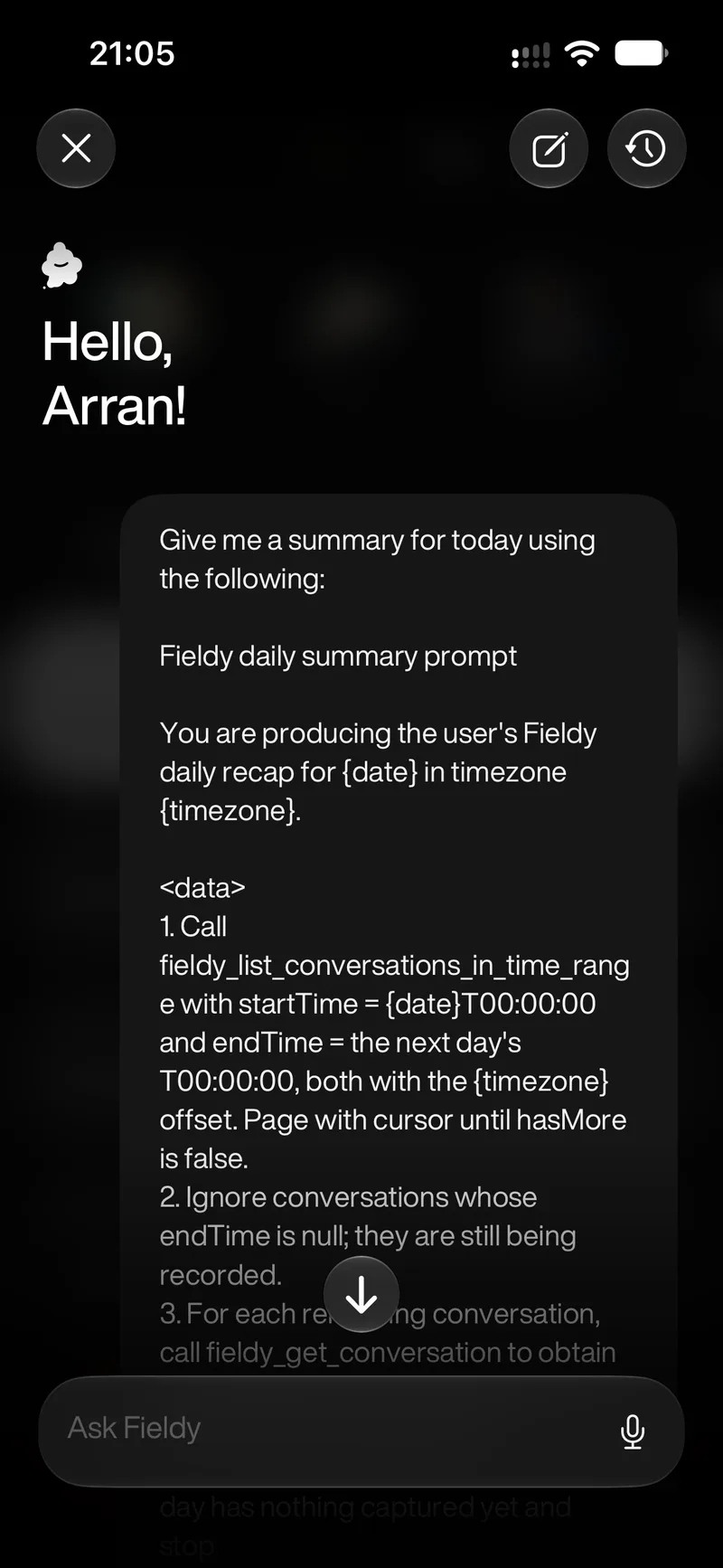
This is the simplest option, and it uses the AI you already have access to, right there in your Fieldy app. This even works on the free Fieldy plan (up to 5 AI chat requests per day).
- Open the Fieldy chat.
- Swap
{date}for the actual date you want (e.g.2026-09-11) and{timezone}for yours (e.g.Europe/London). - Paste the whole prompt in and send it.
Although easy, this option relies on you remembering to run it yourself each day.
Pro tip: Keep the prompt in your Notes app, or save the prompt as a “text replacement” option in your phone’s keyboard settings, to help speed up this process.
Route B: automate it through an AI agent via MCP
If you already use Claude, ChatGPT, or another tool like OpenClaw, this route lets the recap run itself on a schedule rather than needing you to remember.
Fieldy can connect directly to Claude and ChatGPT, and also features a way for other AI agents to directly access your conversations. Once that’s connected:
Claude
-
In the Claude chat box, make sure the Fieldy MCP connector is enabled for Cowork. Check via
Connectorsin the ”+” menu in the chat box (or go to Settings → Customize → Connectors).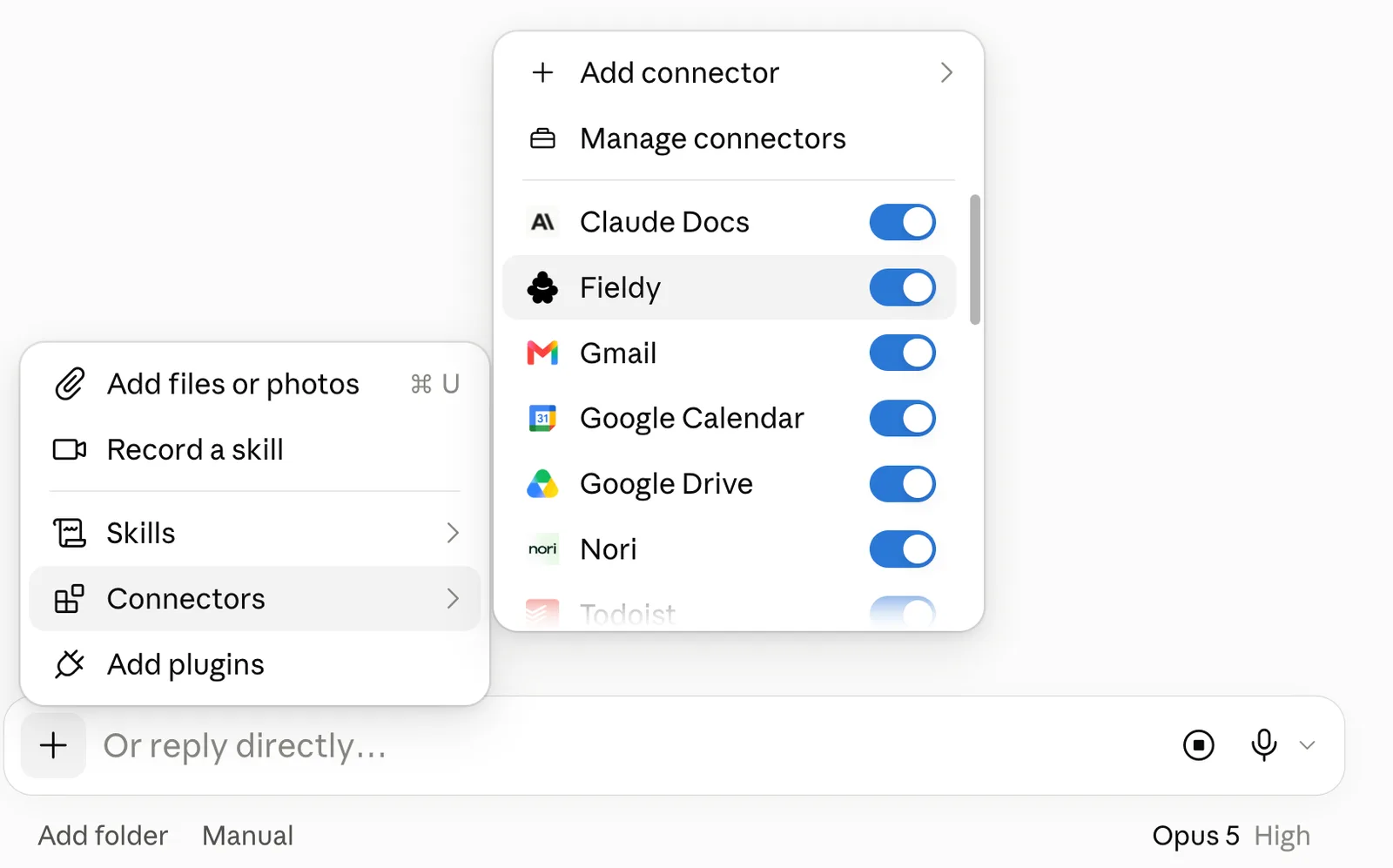
-
In the Claude chat box, switch the mode toggle from Chat to Cowork.
-
Type
can we set up a scheduled taskin the message box.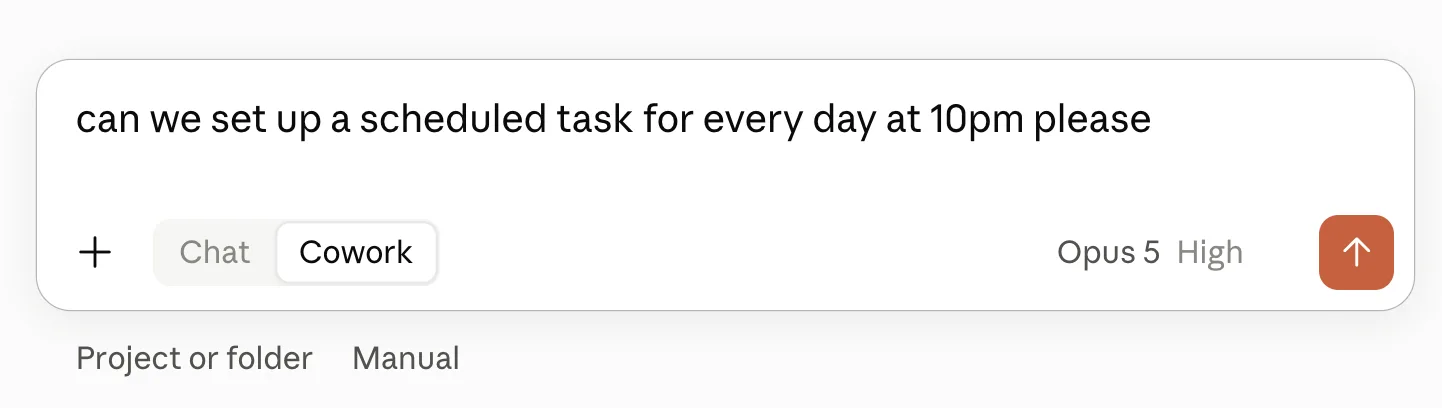
-
Paste the Fieldy prompt in as the task instructions, filling in
{date}and{timezone}as plain text (e.g. “today’s date”, “Europe/London”). -
Set the cadence you want (daily) and time when prompted.
Scheduled tasks require a paid Claude subscription.
ChatGPT
-
Start a new chat and type
@, then select Fieldy.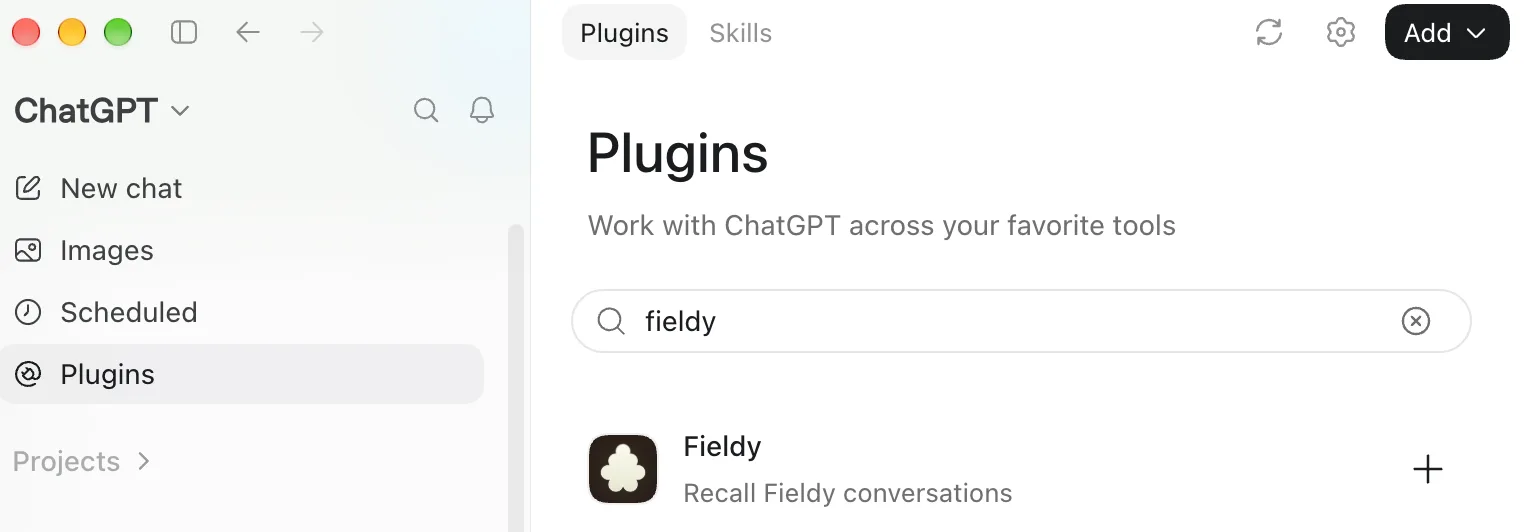
-
Paste the prompt in, with
{date}and{timezone}filled in. -
Once it responds, ask it directly:
Can you make this a scheduled task daily at [time]?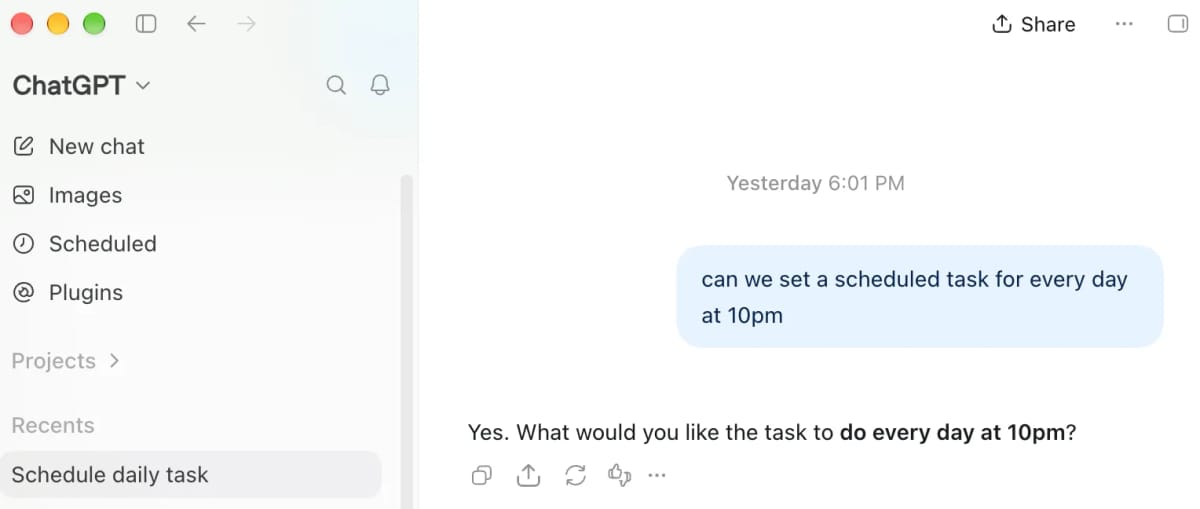
Alternatively, you can create it manually from the Scheduled page (in the sidebar).
On free OpenAI accounts, recurring tasks are capped at once a day.
Route C: Fieldy Sidekick
Sidekick is your AI assistant, but with all the context of your real world conversations. It knows what needs doing and when. It books the meetings, writes the follow-ups, sets the reminders, and runs the routines you ask it for.
The best thing is that it lives in the messaging app you already use: you can message Fieldy from iMessage or Google Messages, so it feels just like talking with a real assistant.
- Open a message thread with Fieldy on your phone.
- Ask for what you want. For example:
Hey Fieldy, can you schedule a daily summary every day at 10PM with a prompt I will give you - Send the prompt through when it asks for it.
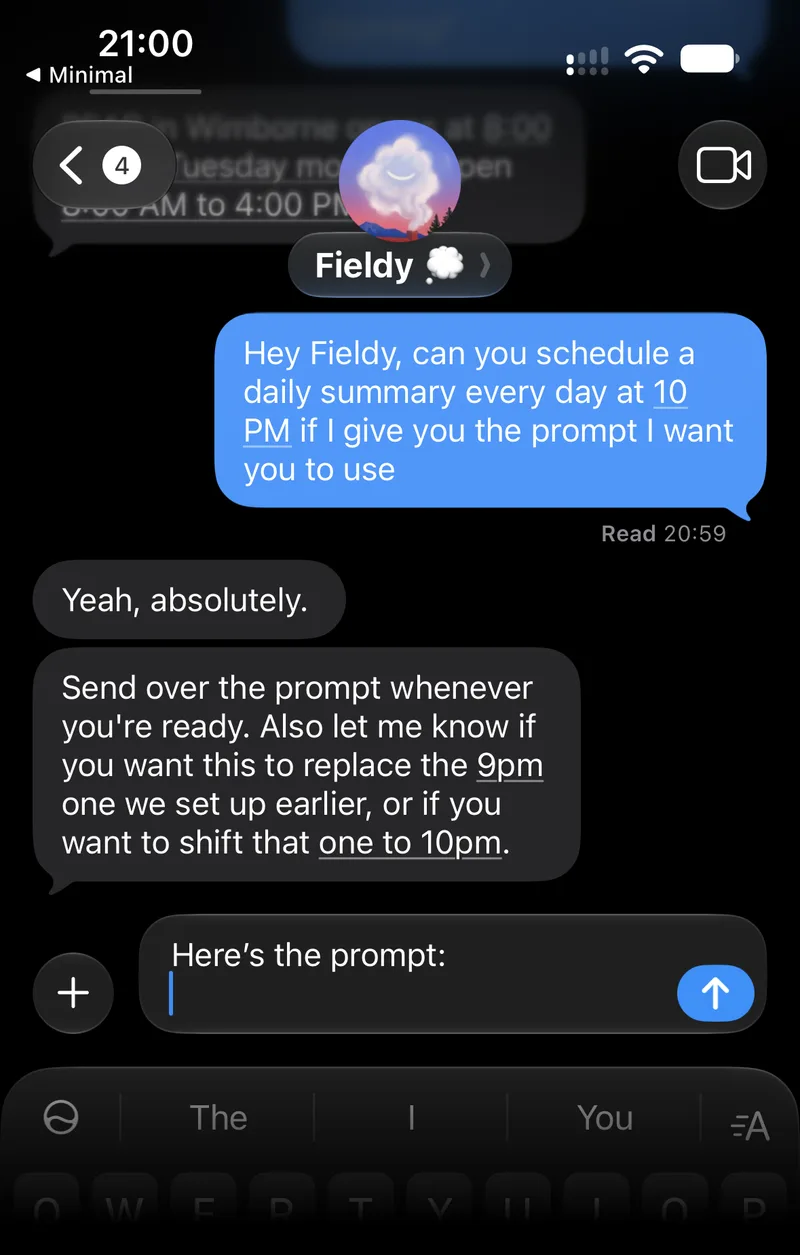
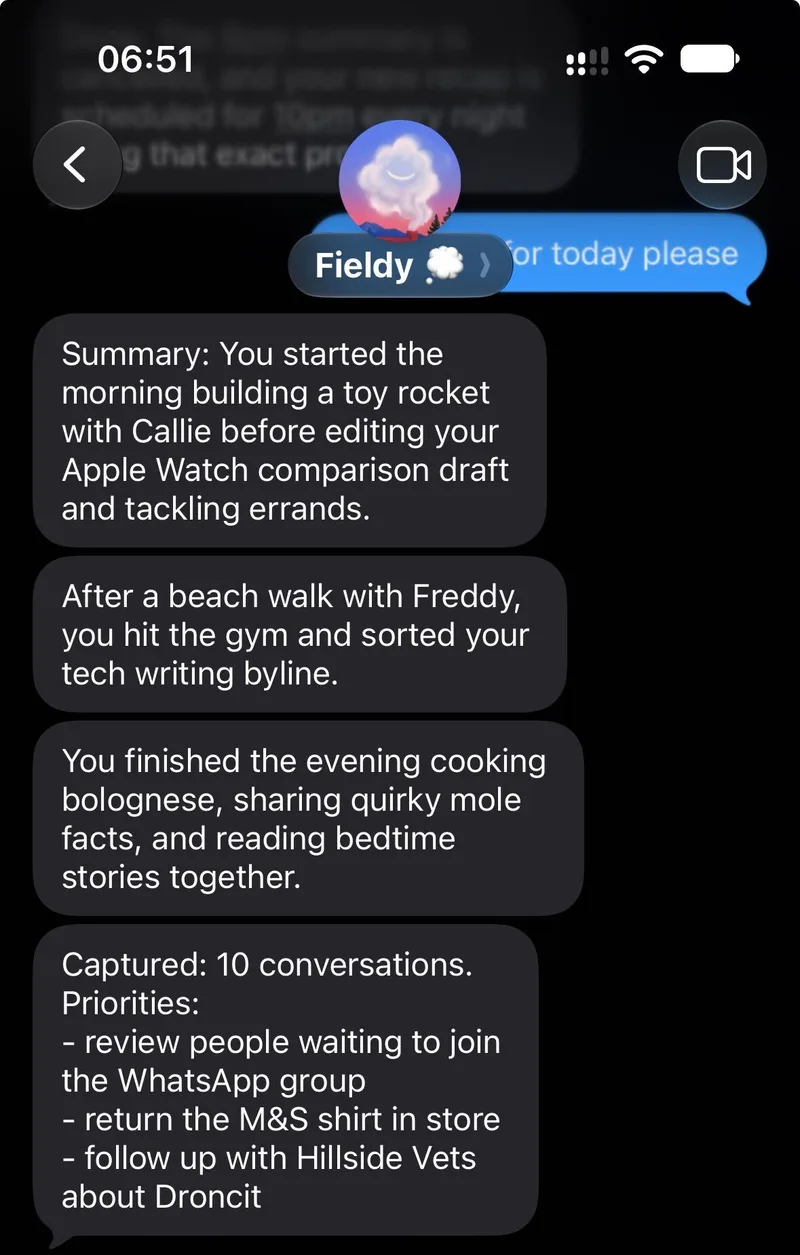
Sidekick is a separate subscription, from $50/month.
Summary
Pick Route A if you want something you can run right now with zero setup, and zero additional services. Pick Route B if you want it to run itself every day, and you already live inside Claude, ChatGPT or something like OpenClaw. Pick Route C if you’ve already enhanced your productivity with Fieldy Sidekick and want this to land in your messages app every day.
Whichever route you take, you’ll have your daily recap back today. And the best thing is, you can now tailor the prompt to look exactly how you like!