Our pick: Fieldy 3 ($129) is the best AI note taker for students whose classes and collaboration happen in person. Otter is the best free option for online-first programs.
A student’s hardest note-taking problems are in-person: the 8 a.m. lecture, the lab walkthrough, the office-hours explanation that finally made it click, the study group where someone solved the problem out loud. Most “best AI note taker” advice ignores this and compares meeting software built for corporate Zoom calls.
My take: if your classes and collaboration happen in person, a wearable like Fieldy 3 is the honest first choice, because it is present for all of it without you managing an app. If your program is mostly online, or budget rules, start with Otter’s free tier and upgrade only when its limits annoy you.
I work at Fieldy, which competes with the products here. Plaud and Pocket prices were checked on August 7, 2026; Otter details reflect its public pages on the same date. Sources at the end.
Quick picks
How we compared
Criteria for student use
We ranked by the shape of a student day: coverage of unscheduled, in-person moments; consistency (does capture depend on remembering?); output quality for studying (summaries, action items, search); total cost against a student budget; and battery through long campus days. Corporate features like CRM sync were ignored.
Sourcing and bias
Fieldy 3 is our product; Fieldy claims are first-hand. Competitor claims come from vendor pages and public documentation on the dates above. Prices change, especially student-facing promos, so verify before buying.
The student capture problem
Lectures are the easy part
Any recorder can capture a lecture you planned to record. The losses happen elsewhere: the professor’s aside about what the exam emphasizes, the TA’s whiteboard explanation, the study group’s division of labor, the advisor’s requirements list. None of these announce themselves in advance, which is why app-based capture, however good the transcription, misses them.
Presence beats transcription quality
A slightly less polished transcript of a conversation you captured beats a perfect transcript of one you did not. This is the core reason a worn device leads this list: it converts capture from a decision into a default. Our guide to Plaud alternatives and wearable recorders makes the same case beyond campus.
The 4 best AI note takers for students
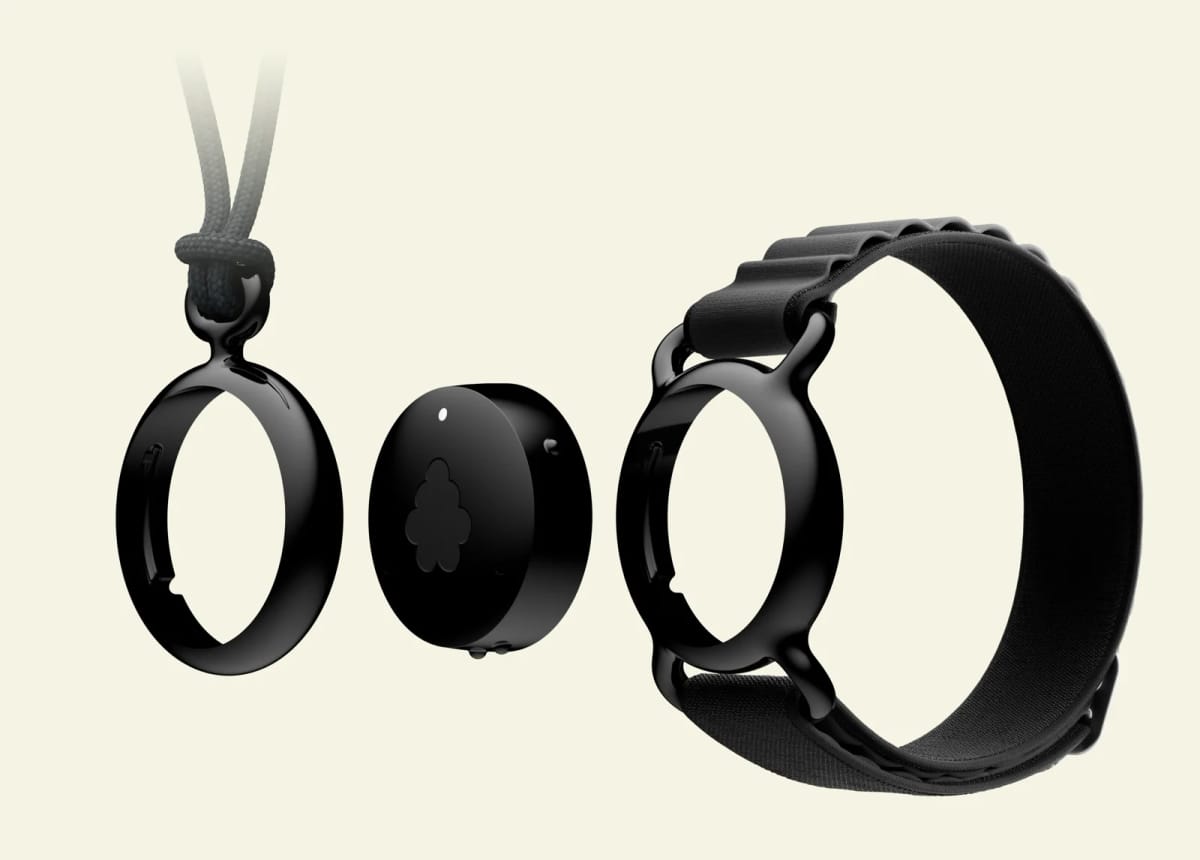
Fieldy 3
Best for covering a real student day: lectures, labs, office hours, study groups, and online classes in one account.
- Worn, so it is ready for every class and conversation
- Summaries, action items, and search across the whole semester
- Costs more than a free app
Otter
Best free starting point, especially for online lectures.
- No hardware cost
- Solid transcription for clear lecture audio
- Depends on remembering to hit record
Plaud NotePin S
Best wearable for template-formatted session notes.
- Flexible wear options
- Deep template library for structured notes
- Built for deliberate sessions more than all-day coverage
Pocket / HeyPocket
Best budget hardware with unmetered standard transcription.
- Cheapest serious hardware here
- Unlimited standard transcription free
- Lives on your phone, not on you
One detail that matters for hybrid semesters: Fieldy also has a desktop app, Fieldy Desktop for macOS and Windows, that transcribes online lectures and video calls in real time on your computer, with no bot joining the call. Remote classes land in the same searchable account as your in-person days, which is what “one account for the whole semester” means in practice.
| # | Option | Price | Covers unscheduled moments? | Study output |
|---|---|---|---|---|
| 1 | Fieldy 3 | $129 offer / $179 regular | Yes, worn all day | Summaries, tasks, semester-wide search |
| 2 | Otter | Free / paid | Only if you start it | Good transcripts, meeting summaries |
| 3 | Plaud NotePin S | $179 | Partly (worn, session-based) | Template-formatted notes |
| 4 | from $99 | Partly (phone-mounted) | Unmetered standard transcripts |
Cost against a student budget, honestly
Free beats cheap: if Otter’s free tier covers your recording volume and your classes are scheduled, buy nothing. The hardware case appears when metered minutes cut out mid-lecture or when unscheduled capture matters. There, Pocket’s $99 with unmetered standard transcription is the price floor, and Fieldy 3 at $129 in checkout adds the wearable form, summaries, tasks, and search, with 150 free monthly minutes and Unlimited at $15.99/month annual if you record everything. Plaud NotePin S at $179 makes sense when its template library matches how you want notes formatted.
One budget warning that applies everywhere: check what any “free trial” converts into at checkout, and calendar the cancellation date.
Where the alternatives genuinely win
- Otter: zero cost, zero hardware, and completely sufficient for online-first programs.
- Plaud NotePin S: the template ecosystem produces the most consistently formatted session notes of any device here.
- Pocket: unmetered free transcription is unbeatable for raw volume per dollar.
- Pen and paper: for retention-by-writing, nothing digital replaces it. AI notes complement that; they do not compete with it.
Also considered
- Limitless Pendant: the wearable that popularized this category, but Meta acquired Limitless and it stopped being sold to new customers on December 5, 2025, with support for existing owners promised only through 2026. It is off the list because you cannot buy one.
- Bee: a $49.99 wrist wearable, now under Amazon, that turns the day into passive summaries and reminders. It ships to the US only, the device supports iOS only, and its ambient life-logging focus produces less study-ready output than the picks above.
- Omi: an open-source wearable pendant with an app marketplace and an own-your-data pitch, currently listed for pre-order. Appealing for tinkerers, but as a dependable semester tool it asks for more setup and patience than most students want.
- Fathom: a polished free AI notetaker for Zoom, Google Meet, and Microsoft Teams calls, and the quick-pick answer for fully online programs precisely because that is all it targets. It does not cover in-person capture.
- Granola: an “AI notepad for back-to-back meetings” that transcribes computer audio without sending a bot, with mobile apps for in-person conversations. Its calendar-centric design is built around a professional’s meeting schedule rather than a student’s day.
- Fireflies: a team meeting assistant with a free tier, strong CRM and Slack integrations, and a mobile app for in-person conversations. Its center of gravity is corporate teams and pipelines, not coursework.
Who should not buy Fieldy 3
Skip it if your program is fully online (software is enough), if you cannot spare the hardware cost (Otter free, then Pocket), or if you mainly want formatted session notes rather than all-day coverage (NotePin S). Fieldy 3 earns the pick when your learning is scattered across rooms, conversations, and formats, and you want one searchable record of the semester.
Fieldy 3 is $129 at checkout right now ($179 regular), with 150 free transcription minutes every month and a 14-day return window.
See Fieldy 3Consent on campus
Recording policy on campus involves three layers: local consent law, university policy, and each professor’s preference. Accessibility offices formalize recording accommodations if you qualify. Start there if that is your situation. Otherwise, ask at the start of term; in our experience the request lands as diligence, not surveillance. For study groups, a quick “I’m using an AI note taker so we all get the notes. Fine with everyone?” is enough, and sharing the summary afterwards usually converts the room.
For the institutional view of this question, see our pieces on AI in higher education and manual vs automated notes in academic settings.
FAQ
What is the best AI note taker for students?
Fieldy 3 is the best AI note taker for students whose learning happens in person (lectures, labs, office hours, and study groups) because it is worn and always ready. Otter is the best free starting point if most of your classes are online or you want to try AI notes without buying hardware.
Can I record my professor's lectures?
Ask first. Many universities and individual professors set their own recording policies, and accessibility offices often grant recording accommodations formally. Beyond policy, local consent laws apply. A one-line request at the start of term settles it.
Is a wearable better than a free app for lectures?
The free app wins on price; the wearable wins on consistency. Apps require remembering to start recording and keeping your phone out; a wearable is already running when the lecture, lab conversation, or hallway explanation happens. Decide based on how much of your learning is unscheduled.
How much does an AI note taker cost for a student?
Free (Otter's basic tier) to $179. Fieldy 3 is $129 at checkout ($179 regular) with 150 free transcription minutes monthly; Pocket is $99 with unmetered standard transcription; Plaud NotePin S is $179. Heavy recorders should compare unlimited plans, not device prices.
Do AI note takers work for group projects and study groups?
Yes. This is where they quietly shine. Multi-speaker rooms defeat most phone recordings, while purpose-built devices with speaker labeling turn a study session into a searchable record of who explained what and what everyone agreed to do.
Will an AI note taker help me study, or just record?
Recording alone changes little. The value is in what comes after: summaries you can skim before an exam, action items from project meetings, and search across the semester. Choose a tool by its output quality, not its microphone.
Sources checked
Pocket prices checked August 7, 2026; Otter reflects its public pricing page the same day. Plaud NotePin S re-checked, and Limitless, Bee, Omi, Fathom, Granola, and Fireflies positioning checked on their own sites, August 11, 2026.