The 2.40 update made Start & Stop Fieldy’s default without clearly explaining what was changing or why. I should have told you before it reached your Fieldy.
If Always On was available before the update, you keep it on your current plan.
Why we changed the default
You know which conversations matter. Start & Stop lets you tell Fieldy: keep this one. That clear boundary gives you better transcripts, better Speaker Profiles, and cleaner notes without the podcast, movie, or unrelated conversation that came next.
1. Better transcripts
We use our highest quality transcription models for Start & Stop recordings. We cannot do the same for Always On at its 24/7 scale.
2. Better Speaker Profiles
Speaker Profiles are more accurate when Fieldy can analyze the complete conversation before deciding who said what. Start & Stop provides that full context at once. Always On processes audio in chunks throughout the day, giving Fieldy less context for matching each voice to the right person. We have not ruled out Speaker Profiles for Always On.
3. More control over your privacy
Start & Stop records only when you ask it to. You choose exactly when recording begins and ends, making it easy to leave private or irrelevant moments out. With Always On, Fieldy listens throughout the day and must decide whether voices, music, podcasts or movies belong in a conversation. That gives you less direct control over what is captured and processed.
Who Always On is for
Always On is for people who want a 24/7 record of their life: to build a searchable lifelog, preserve incidental moments or create a digital version of themselves. It captures first and lets you decide what mattered later.
Always On still works the same in the new UI: Choose Always On in device settings, then press and hold the button once to start recording. Fieldy keeps recording until you press and hold again.
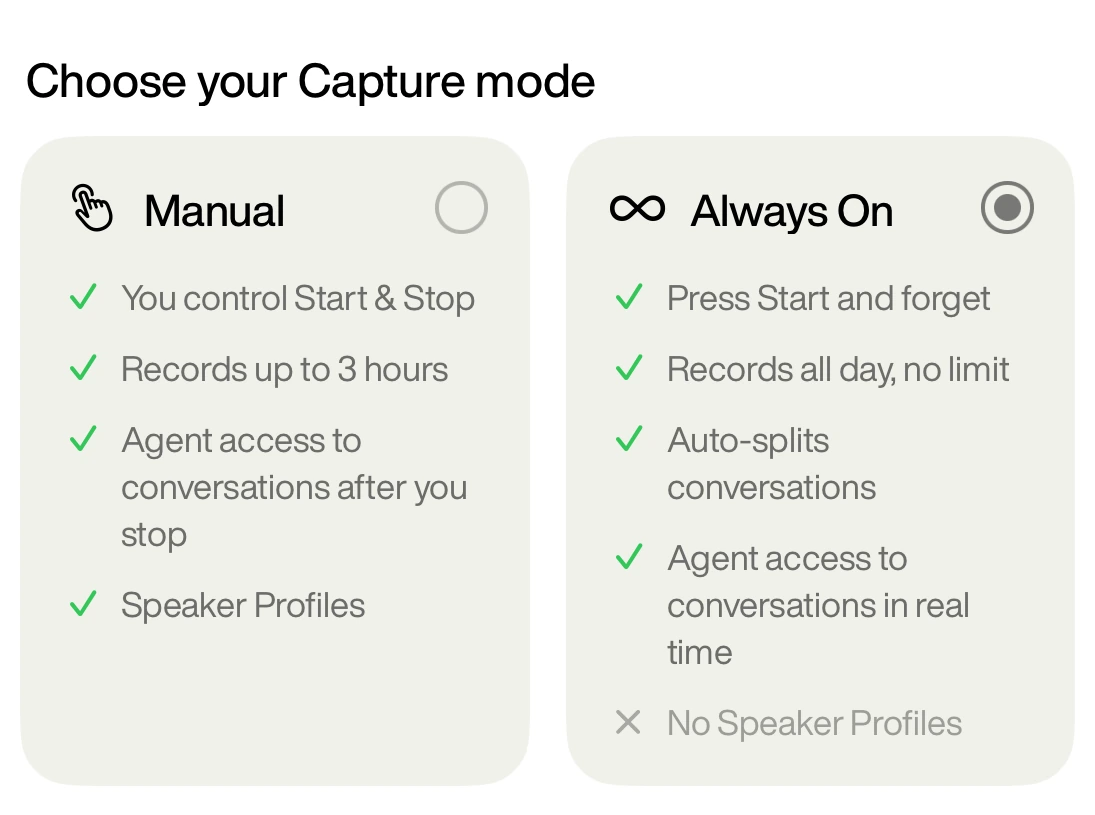
Our usage data shows that Start & Stop is the better fit for most professional workflows, including turning meetings and conversations into work.
What else changed in firmware 3.3.x
- Press and hold now starts or stops recording. Fieldy stays powered on.
- The double-click shortcut was removed. The custom Start new conversation action is no longer available.
Timeline
July 15, 2026: We began rolling out Start & Stop to new Fieldy users.
August 15, 2026: After one month of feedback, we found that Start & Stop was easier to learn and delivered more reliable value for most users. We decided to make it the default.
August 26, 2026: Version 2.40 began rolling out after we decided to make Start & Stop the default. We did not explain that decision or what it meant for Always On clearly enough.
September 1, 2026: Always On is available to everyone on Unlimited. Existing Sidekick users who already have Always On keep it.